My Signature
My Signature enables organisations to create, manage, and deploy professional email signatures across their team in minutes. Built for South African teams with no complicated IT setup required.
The problem it solves is a familiar one: company email signatures drift. Different layouts, missing logos, outdated phone numbers, inconsistent fonts. Every outbound email becomes a small erosion of brand credibility. My Signature resolves this with a centralised dashboard that becomes the single source of truth for every signature in the organisation.
The platform supports Gmail, Outlook desktop, Outlook Web, Apple Mail, iOS Mail, and Android Gmail. Starter plans begin at R149 per month and scale through Team and Business tiers. Built by Clekzo Studio for teams across Africa.
Make Every Email Look Like Your Brand
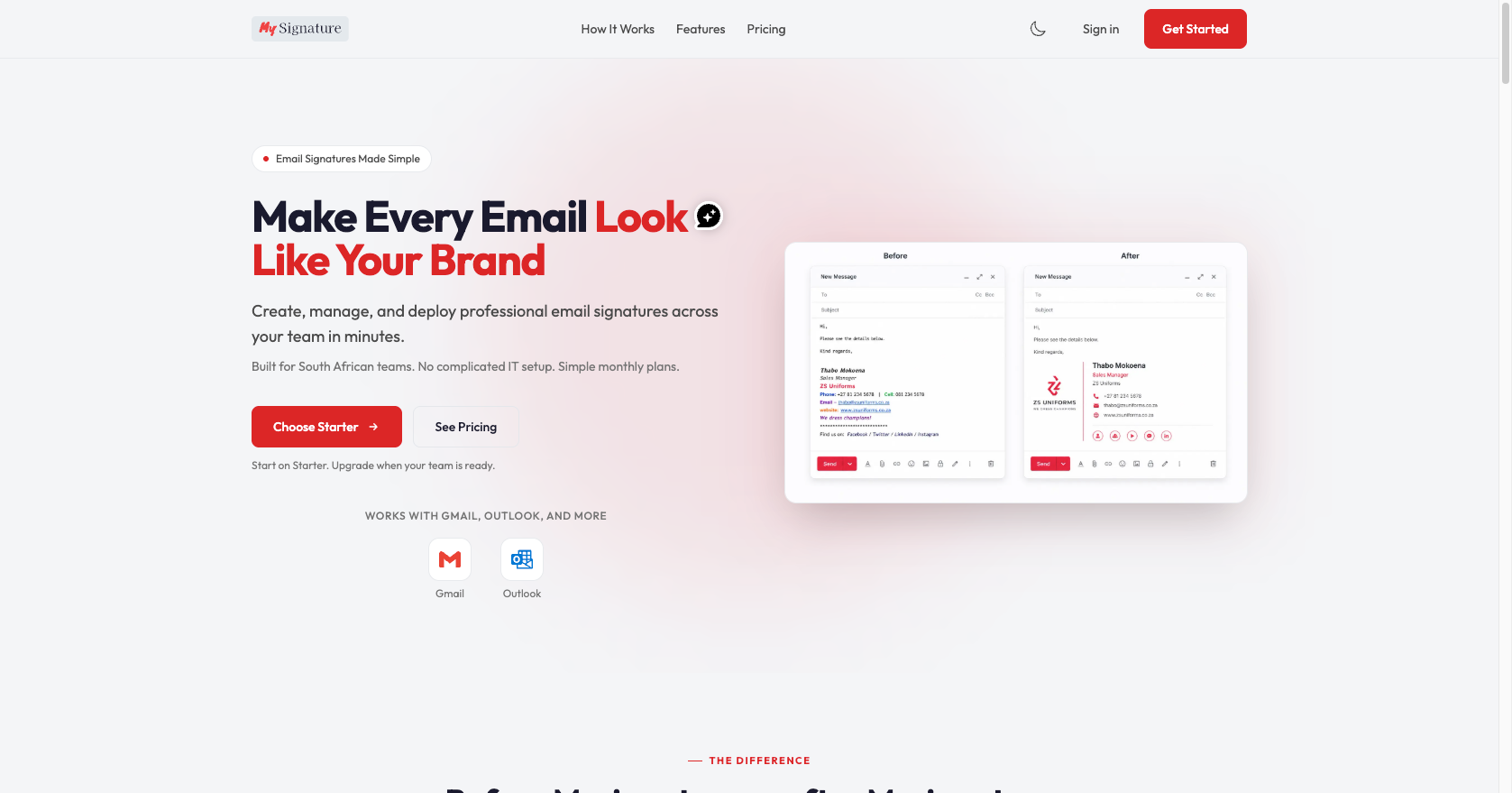
The hero needed to do one thing quickly: show the problem and the solution without any preamble. The headline leads with the outcome, the sub-copy names the audience and removes the main objection (no complicated IT setup), and the before-and-after comparison is embedded directly in the hero rather than buried further down the page.
Two CTAs sit side by side: a primary action to start on Starter and a secondary path to pricing. Both resolve the most common entry decisions without requiring the visitor to scroll. The Gmail and Outlook logos anchor the compatibility claim immediately below the fold line.
Showing the Problem Before Selling the Solution
The before-and-after section makes the pain visible. A plain text sign-off with an old number, a missing logo, and an inconsistent layout sits next to a clean, branded HTML signature with photo, social icons, and correct contact details.
This comparison does the persuasion work that feature lists cannot. It gives a potential buyer a direct view of what their team looks like right now versus what it could look like, without needing to imagine the gap themselves.
Built for Growing Teams Across Africa
The product needed a positioning section that went beyond generic SaaS copy. The "built for growing teams across Africa" framing speaks directly to the market: South African small businesses, agencies, and growing teams who find global platforms either overpriced, geographically generic, or both.
Key proof points are stated as scannable numbers: 5 minutes to create your first signature, 6+ email clients supported, R149 per month to get started, 100% HTML with no plugins needed. Editorial photography reinforces the real-business context rather than stock imagery.
One Place to Manage Every Signature Across Your Team
The centralised management section is the product's core value proposition in visual form. A dashboard mockup shows the team member list with status indicators, a brand-locked settings panel, and a live signature preview, all in one view.
Three benefit points anchor the copy: one source of truth (every signature updates from a single dashboard), instant rollout (a logo change or new hire reaches the whole company in seconds), and cross-client rendering (Gmail, Outlook, and all major clients). The brand-locked notice is visible in the UI, demonstrating the control mechanism without needing to describe it separately.
Simple, Transparent Pricing
Three tiers cover the full range from solo professionals to mid-sized organisations. Starter (R149/mo, up to 5 users) is highlighted as the most popular entry point and includes all premium templates with no branding watermark. Team (R299/mo, up to 15 users) unlocks team management, shared templates, and priority support. Business (R999/mo, up to 50 users) adds advanced management, custom brand enforcement, and an audit trail.
The pricing page uses a light background to contrast with the dark sections of the landing page, giving pricing the visual breathing room it needs to read clearly. Billing is via Paystack with no hidden fees and no lock-in.
Step-by-Step Guides for Every Email Client
The install guides section is part of the product experience, not support documentation. Adoption depends on users getting their signature live across their existing mail clients, so each platform gets its own guide with an honest time estimate and clear constraints flagged upfront.
The grid covers Gmail (web), Outlook desktop, Outlook Web, Apple Mail (with a "Setup required" badge), iOS Mail (plain text only), and Gmail Android (set via Gmail Web). The individual guide for Gmail Android, shown on mobile, walks through the process in 4 steps with an estimated 2 minutes, including a phone mockup showing exactly what the user will see during setup.
Product strategy, design systems, enterprise UX, and clear digital product delivery.
If you are hiring for a senior product design role or need a designer who can shape complex product work from strategy through interface detail, get in touch.
Discuss a role